
Start with the job the image must do
| Format | Useful for | Check first |
|---|---|---|
| JPG | Photographs for broadly compatible apps | No transparency; quality changes fine detail |
| PNG | Graphics, text, transparent assets and lossless editing | Photographs can become much larger |
| WebP | Compact web photographs and transparent images | Confirm the destination accepts WebP |
| AVIF | Efficient sources where the audience and apps can read them | Browser and app decoding support varies |
These are starting points, not file-size guarantees. Keep the source and compare the exported image at the size where people will see it.
What a conversion can preserve
Image converter can make JPG, PNG or WebP from supported still images. A JPG export fills transparent areas with the selected background; PNG can keep transparency. A new PNG made from a JPEG cannot restore detail the JPEG already lost. Re-encoding does not copy EXIF or editing history. Animated sources become one still frame.
AVIF input depends on your browser's decoder. This tool does not offer AVIF output. If a destination requires AVIF, use an app with an AVIF encoder and inspect its result.
A measured portrait example
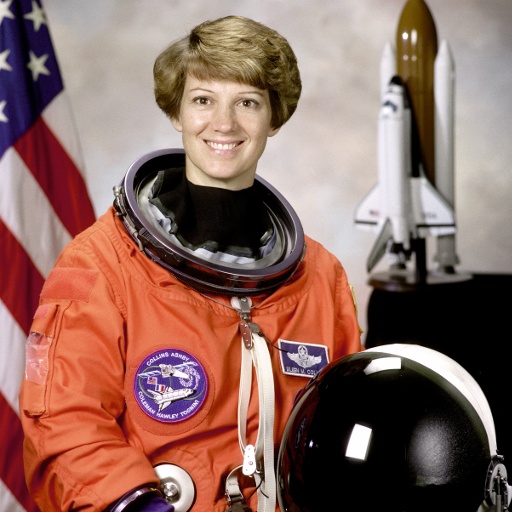
This uses the same public-domain NASA portrait of astronaut Eileen Collins as our photo preparation guide. Its 512 × 512 JPEG reference was prepared from the source PNG; the WebP below was exported at the same dimensions and quality 90. These are actual bytes for this example, not predicted sizes for other photographs.
| File | Dimensions | Settings | Measured bytes |
|---|---|---|---|
| JPEG reference | 512 × 512 | JPEG quality 95 | 96,018 |
| WebP export | 512 × 512 | WebP quality 90 | 52,132 |
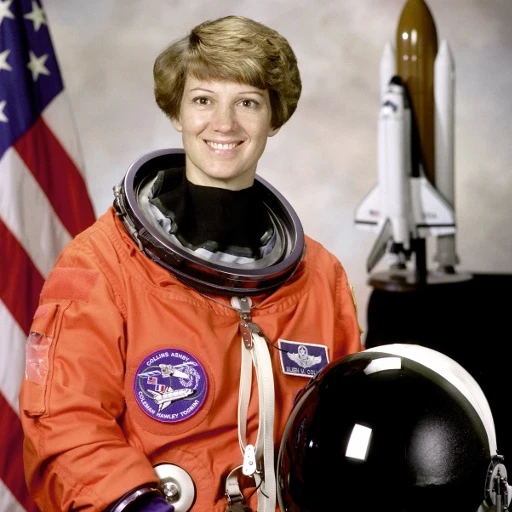
The WebP was smaller in this run, but the settings and encoders differ; this is not an equal-quality comparison. Open both files and inspect hair, fabric and the dark background. See the source, licensing and reproduction notes and raw measurements. Measured on 10 September 2026 in Chrome 152 on macOS.
Try the choice with your own image
- Open the image converter and select your source.
- Export the same dimensions to JPG, PNG or WebP where your browser supports the format.
- Compare visual detail, transparency and file size in each preview.
- Download the version your destination accepts. Choose Host on FooPixel only for an individual result you intend to make public.
For a photograph intended to be smaller, the image optimizer also lets you resize before exporting.